Tuesday, December 16, 2008

Image resizing with The Gimps

Gimps offer 4 algorithms for resizing the images: none, linear, cubic, และ Sinc (Lanczos3)

Let's see how well they do on this image (click to see full-resolution image)


Here's the result:

Again, click on the image to see full-resolution image.


For this particular picture, I think sinc (Lanczo3) is the best. It managed to preserve lots of details but minimize, almost as much as 'none', but also kept those stair-step side-effect down.

Cubi-resized result also has lots of details but looks soft compare to 'sinc'.

Anyway, this is a computer-generated image. It would be interesting to see how these algorithm do with the real-world pictures.

Tuesday, July 29, 2008

7-zip vs WinRar

7-zip is a free file compression program. It can compress/decompress many compression formats, and also comes with its own format.

My company gave me a licensed WinRAR. Let's see hot 7-zip compared to commercial product.

First I tried to compress the whole "My Documents" folder. It contained a lot of text and binary files, including a few MP3 and JPG pictures (which is already compressed).

Then I try to compress the whole cygwin directory, contain mostly binary files. Most of the files are not compressed.


uncompress


7-zip (.zip)

7-zip (.7z)

WinRAR (.zip)

WinRAR(.rar)

My Documents

93.1MB


27.4

14.7

28.1

21.9

cygwin

449MB


175

113

180

159

Wednesday, July 16, 2008

An Early Look At OpenSolaris 2008.11

It's been a while since the first release of OpenSolaris was out, and the new release is coming. Codename Jericho, and will be officially called OpenSolaris 2008.11 once released, is reviewed by folks at Photonix. Go see what changed and what not.

from OSNews

Tuesday, July 15, 2008

Wordpress 2.6 is out

In case you have not heard, Wordpress 2.6 is out.

howto: create a ringtone with Audacity


Audacity is an open source audio editing program. While it can be used by professionals to create an awfully good sounding stuff, normal folks like us can use it to cut part of you sound file, including MP3, to create your own ringtones. Audacity can read MP3 but it could not create a MP3 file since it doesn't ship with MP3 encoder. You will need Lame mp3 encoder for that. So download Lame first, unzip it into any directory, but do remember where you keep it. You will need it later.


Now open your sound file. Select the section you want to make a ringtone. Play the selected section until you get it right.


When you like what you hear, copy the section by pressing Ctrl-C or go to menu edit->copy. Then create a new project, and paste a sound clip you just copied into it. Play it one more time to make sure it's what you expect.

Finally, go to menu File->Export As MP3. If this is the first time you do this, Audacity will ask for the location of Lame. Just browse to where you unziped Lame (you do remember it right?). It will take a few moments to export to MP3. Once done, transfer that MP3 to your phone. Done.

By the way, there are some fun effects to try out like removing singer voice, reduce noise, fading, etc. Try them under Effect menu.


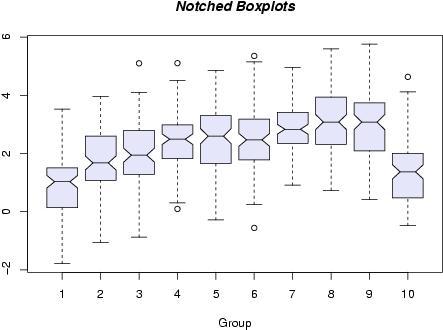
What is R?


If Octave is more-or-less a free replacement for Mathlab, then R does the same to S-Plus. After all, both R and S-plus share the same ancestor. I mean, if you wanted to make a better version of a statistic program called 'R', what would you call that new program of yours? 'S' of course. What about a name after you have improved 'S' overtime? Well, S-Plus seems a good choice. Anyway, I'm not good at statistic at all, but you can learn more at R website


(image (C) R Foundation, from http://www.r-project.org)

Sunday, July 13, 2008

Octave == Mathlab


Almost.

Octave understands Mathlab language, but there are some statements not yet supported. Anyway, many Mathlab can be used with Octave without any modification. I used to use Mathlab in collage and I found that I could run most of my scripts in Octave. I needed to modify some scripts that have some plotting commands tho.

The graph above was from this script. I got this script when I was learning it a few years ago so I don't remember where I got it from.

>> [x,y] = meshgrid([-12 : 1/2 : +12]);
>> z = sin(sqrt(x .* x + y .* y)) ./ sqrt(x .* x + y .* y);
>> mesh(x,y,z);